Beginner Arduino Projects
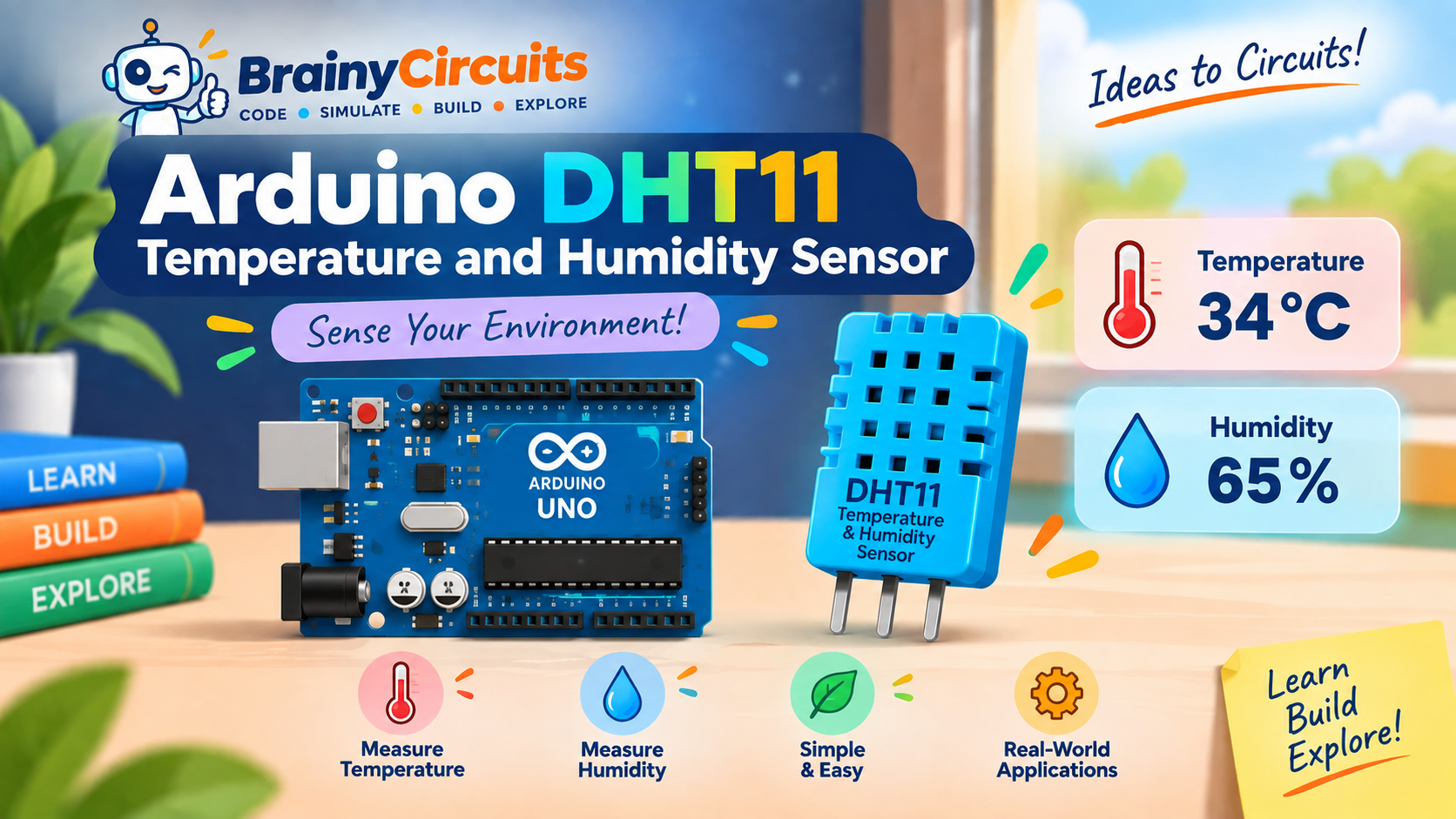
Arduino DHT11 Temperature and Humidity Sensor
Try it yourself
Open the live circuit and code — run it right in your browser.
You'll be asked to sign in first — it's free.
🎯 Aim
Learn how to interface a DHT11 temperature and humidity sensor with an Arduino Uno, read environmental conditions, and display temperature and relative humidity values on the Serial Monitor.
📖 Background Story
Temperature and humidity are two of the most commonly measured environmental conditions. From weather stations and greenhouses to smart homes and industrial systems, sensors are used to measure the surrounding environment and allow electronic systems to respond to changes.
In this project, we use the DHT11 sensor with an Arduino Uno to measure both temperature and relative humidity.
The DHT11 is a simple digital temperature and humidity sensor designed for applications where basic environmental measurements are required. Unlike an analog temperature sensor, the DHT11 processes the sensor measurements internally and communicates the results to the Arduino through a digital data connection.
The sensor contains a temperature-sensing element and a humidity-sensing element along with an internal controller that converts the measurements into digital data.
The Arduino requests a measurement from the DHT11, and the sensor sends the temperature and humidity information through its single data line.
The DHT library makes this process much easier by providing functions such as readTemperature() and readHumidity().
In this project, the Arduino reads the temperature and humidity every two seconds and displays the results on the Serial Monitor.
For example, the Serial Monitor might show:
Temperature: 34 °C
Humidity: 65 %
This project is a useful introduction to environmental sensors and digital sensor communication. Once you understand how it works, you can extend it into projects such as weather stations, smart fans, plant monitoring systems, room monitoring systems, and automatic climate-control projects.
🧰 Components Used
- ● Arduino Uno R3
- ● DHT11 Temperature & Humidity Sensor
🔌 Circuit Diagram
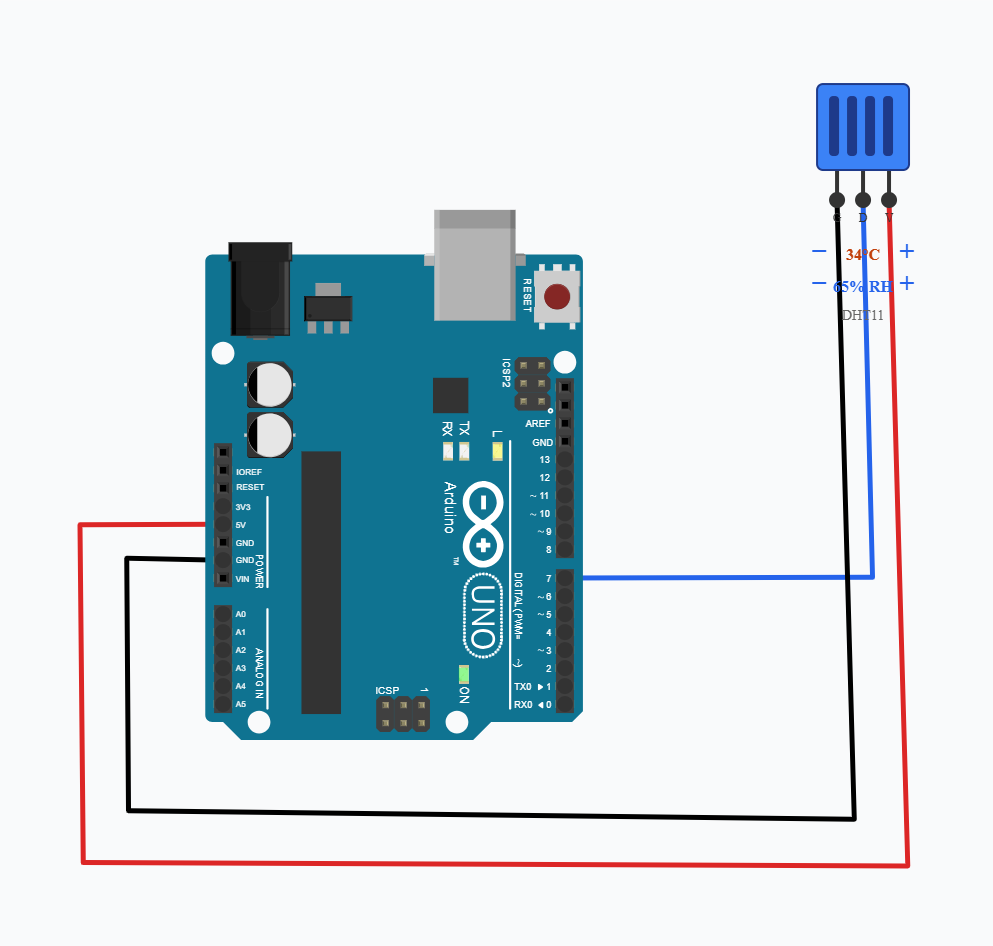
Connect the DHT11 sensor to the Arduino Uno as follows:
DHT11 VCC → Arduino 5V
DHT11 GND → Arduino GND
DHT11 DATA → Arduino digital pin 7
The DHT11 communicates with the Arduino through its DATA pin. The Arduino uses the DHT library to request and decode the temperature and humidity measurements.
The readings are then displayed through the Arduino's USB serial connection on the Serial Monitor.
How the DHT11 Works?
The DHT11 contains two sensing elements and an internal controller.
Temperature measurement
The temperature-sensing element responds to changes in the surrounding temperature.
The DHT11's internal electronics convert that measurement into digital data.
Humidity measurement
The humidity-sensing element detects changes in moisture in the surrounding air.
The sensor converts this into a relative-humidity value.
Digital communication
Instead of sending a continuously varying voltage like an analog sensor, the DHT11 communicates with the Arduino using a single digital data line.
Key Features of the DHT11
• Measures temperature and relative humidity
• Digital single-wire communication
• Simple interface with Arduino
• Low-cost sensor suitable for beginner projects
• Operates from a low-voltage supply
• Temperature measurement range is approximately 0–50 °C
• Relative humidity measurement range is approximately 20–90% RH
• Typical temperature accuracy is around ±2 °C
• Typical humidity accuracy is around ±5% RH
• Recommended sampling interval is about 2 seconds
Note: The DHT11 is designed for basic environmental monitoring rather than high-precision measurement.
Its measurement range and accuracy are more limited than sensors such as the DHT22 or more advanced temperature/humidity sensors.
💻 Code
#define DHTPIN 7

DHT dht(DHTPIN, DHT11);

void setup() {
  dht.begin();

  Serial.begin(9600);
  Serial.println("DHT11 Sensor Ready");
}

void loop() {
  float h = dht.readHumidity();
  float t = dht.readTemperature();

  // Check if sensor reading is valid
  if (isnan(h) || isnan(t)) {
    Serial.println("Failed to read from DHT11 sensor!");
    delay(2000);
    return;
  }

  Serial.print("Temperature: ");
  Serial.print(t);
  Serial.println(" °C");

  Serial.print("Humidity: ");
  Serial.print(h);
  Serial.println(" %");

  Serial.println("--------------------");

  delay(2000);
}
💬 Comments (0)
Sign in to leave a comment.
Be the first to comment on this project.