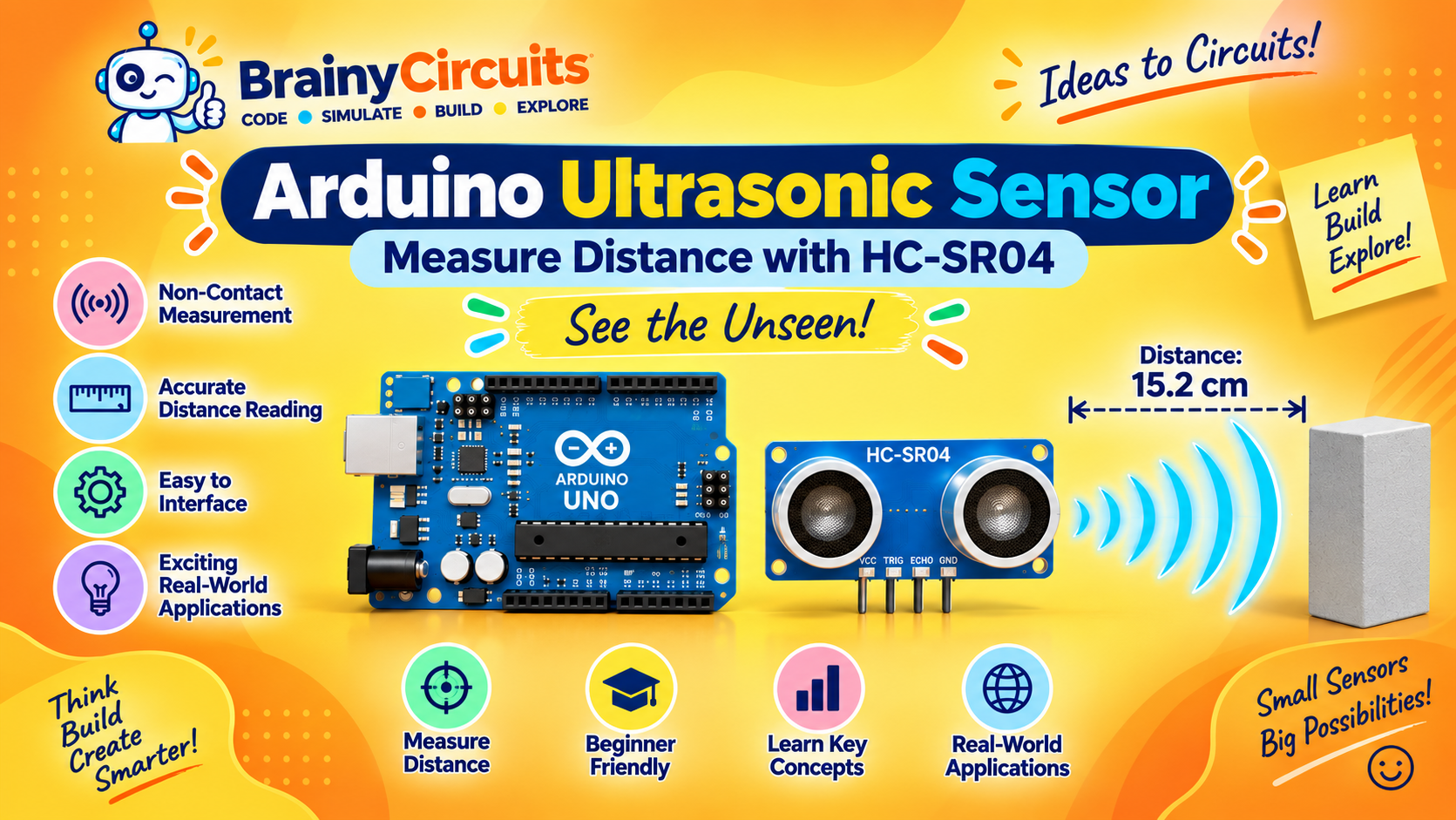
Beginner Arduino Projects
Arduino Ultrasonic Sensor – Measure Distance with HC-SR04
Try it yourself
Open the live circuit and code — run it right in your browser.
You'll be asked to sign in first — it's free.
🎯 Aim
Learn how to interface an HC-SR04 ultrasonic distance sensor with an Arduino Uno, measure the time taken by an ultrasonic pulse to return, calculate the distance to an object, and display the result on the Serial Monitor.
📖 Background Story
How can an electronic system know how far away an object is without physically touching it?
Ultrasonic sensors provide a simple answer to this problem. They use sound waves above the range of human hearing to measure the distance between the sensor and an object.
In this project, we use an HC-SR04 ultrasonic sensor with an Arduino Uno.
The HC-SR04 has two main ultrasonic transducers. One acts as a transmitter and the other acts as a receiver. The transmitter sends a short burst of ultrasonic sound, and when the sound reaches an object, part of it is reflected back toward the sensor.
The Arduino measures how long it takes for the echo to return.
Because the speed of sound is known approximately, the travel time can be converted into distance.
The sound travels from the sensor to the object and then back to the sensor. Therefore, the measured travel distance is twice the actual distance to the object. This is why the calculation divides the result by 2.
In this project, Arduino digital pin 13 is used to trigger the ultrasonic measurement, while digital pin 12 receives the echo signal.
The Arduino sends a short 10-microsecond trigger pulse to the sensor. The HC-SR04 then sends an ultrasonic burst and produces an ECHO pulse whose duration represents the time taken for the reflected sound to return.
The Arduino measures this pulse duration using pulseIn(), calculates the distance in centimeters, and displays the result on the Serial Monitor.
Ultrasonic distance measurement is widely used in robotics, obstacle detection, parking sensors, automated systems, and distance-measuring projects.
Key Features:
• Ultrasonic distance measurement
• Non-contact object detection
• Uses approximately 40 kHz ultrasonic sound
• Separate TRIG and ECHO signals
• Simple digital interface
• Typical measurement range: approximately 2 cm to 400 cm
• Suitable for obstacle-detection projects
• Commonly powered from 5V
• Easy to interface with Arduino
• Useful for robotics and automation projects
🧰 Components Used
- ● Arduino Uno R3
- ● HC-SR04 Ultrasonic Sensor
🔌 Circuit Diagram
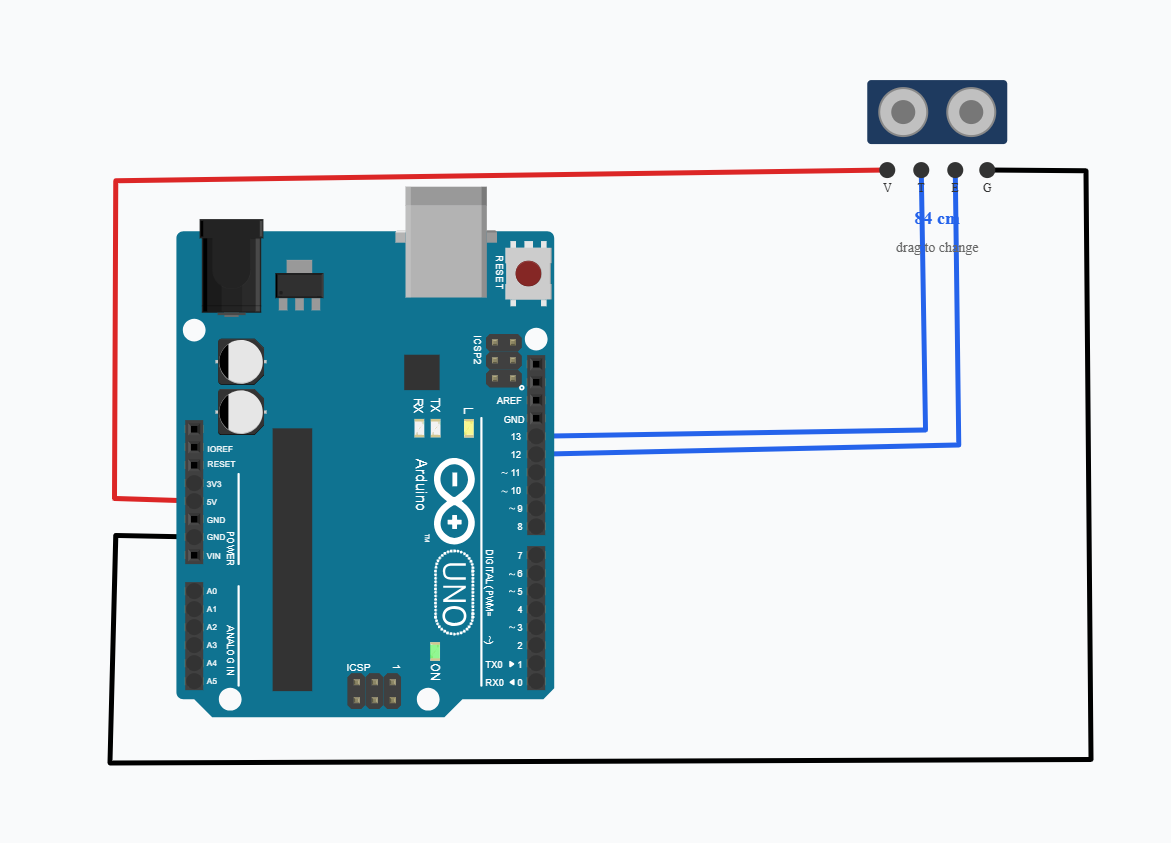
Connect the HC-SR04 ultrasonic sensor to the Arduino Uno as follows:
HC-SR04 VCC → Arduino 5V
HC-SR04 GND → Arduino GND
HC-SR04 TRIG → Arduino digital pin 13
HC-SR04 ECHO → Arduino digital pin 12
The TRIG pin is controlled by the Arduino and starts a distance measurement.
The ECHO pin sends a pulse back to the Arduino. The duration of this pulse represents the time taken by the ultrasonic sound to travel to the object and return.
💻 Code
const int trigPin = 13;
const int echoPin = 12;

void setup() {
  pinMode(trigPin, OUTPUT);
  pinMode(echoPin, INPUT);

  Serial.begin(9600);
}

void loop() {
  // Make sure trigger is LOW
  digitalWrite(trigPin, LOW);
  delayMicroseconds(2);

  // Send a 10 microsecond trigger pulse
  digitalWrite(trigPin, HIGH);
  delayMicroseconds(10);
  digitalWrite(trigPin, LOW);

  // Measure the echo time
  long duration = pulseIn(echoPin, HIGH);

  // Calculate distance in centimeters
  float distance = duration * 0.0343 / 2;

  // Print distance
  Serial.print("Distance: ");
  Serial.print(distance);
  Serial.println(" cm");

  delay(500);
}
💬 Comments (0)
Sign in to leave a comment.
Be the first to comment on this project.