Beginner Arduino Projects
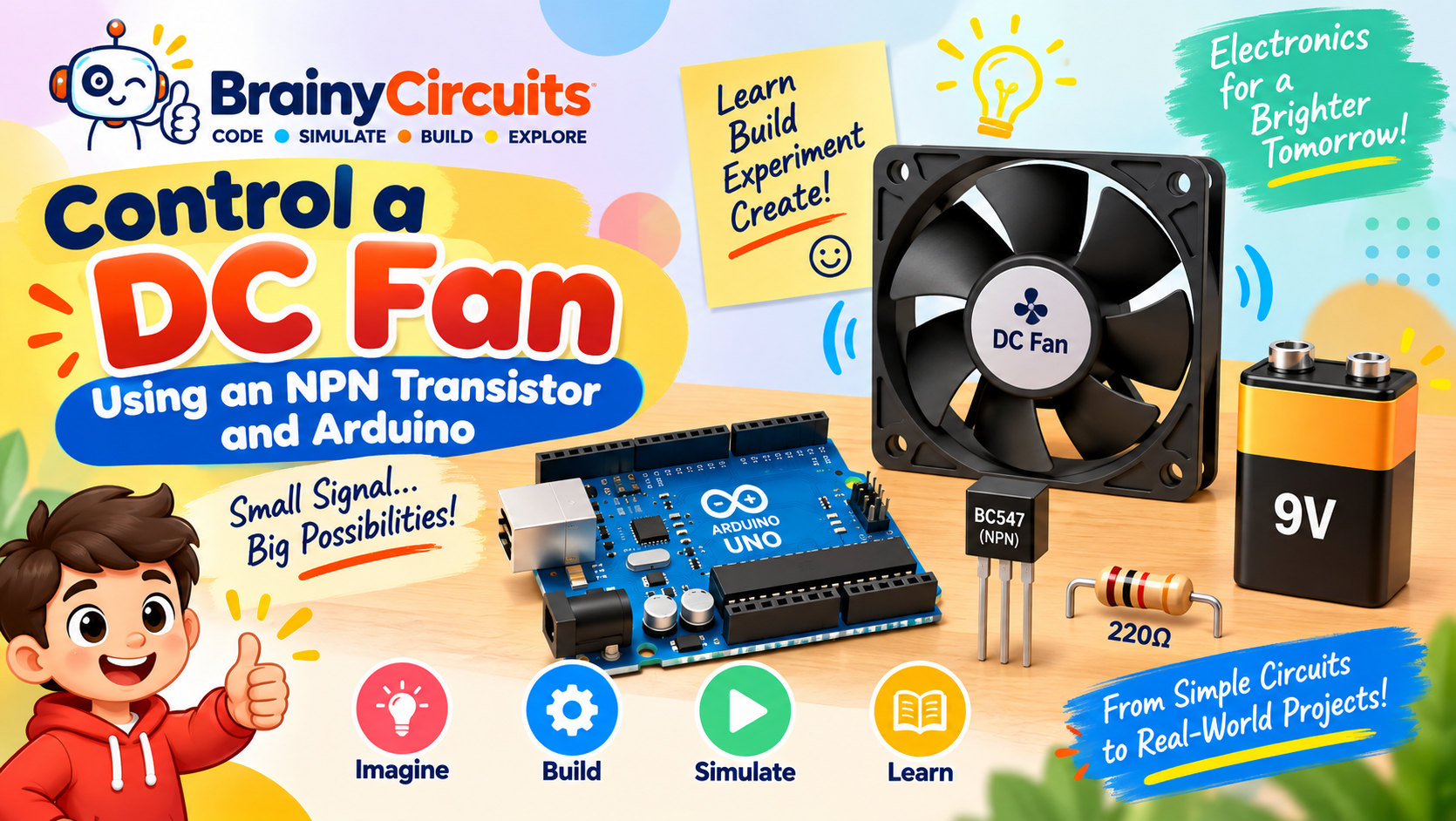
Control a DC Fan Using an NPN Transistor and Arduino
Try it yourself
Open the live circuit and code — run it right in your browser.
You'll be asked to sign in first — it's free.
🎯 Aim
Learn how to use an NPN transistor as an electronic switch to control a DC fan using an Arduino Uno. The Arduino provides the control signal to the transistor, while a separate 9V supply powers the fan.
📖 Background Story
An Arduino can easily turn an LED on and off because an LED requires only a small amount of current. But what happens when we want to control something that requires more current or a different voltage, such as a DC fan, motor, relay, or lamp?
The Arduino's GPIO pin is not designed to directly power such loads.
This is where a transistor can act as an electronic switch.
In this project, we use a BC547 NPN transistor between the Arduino and a DC fan. The Arduino does not power the fan directly. Instead, it controls the transistor through a small base current.
When Arduino pin 13 is HIGH, the transistor turns ON and allows current to flow through the fan.
When Arduino pin 13 is LOW, the transistor turns OFF and the fan stops.
This simple circuit introduces an important electronics concept:
A small control signal can be used to switch a larger load.
🧰 Components Used
- ● Arduino Uno
- ● BC547 NPN Transistor
- ● DC Fan
- ● 220Ω Resistor
- ● 9V Battery
- ● Jumper wires
🔌 Circuit Diagram
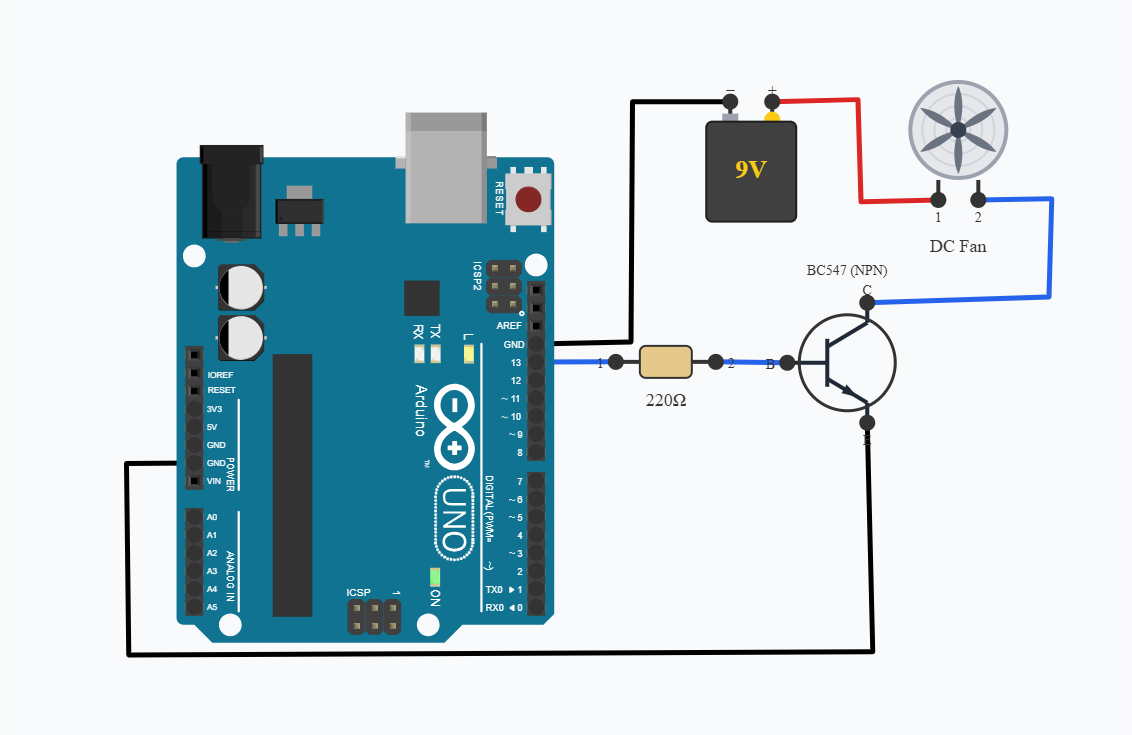
The BC547 is connected between the fan and ground.
The fan is connected to the positive terminal of the external 9V supply. Its negative terminal is connected to the collector of the BC547.
The emitter of the BC547 is connected to ground.
Arduino pin 13 is connected to the transistor's base through a 220Ω resistor.
The resistor limits the current flowing into the transistor's base and provides protection for the Arduino output pin. The Arduino and external 9V supply must share a common ground.
Why Can't We Connect the Fan Directly to Arduino Pin 13?
This is one of the most important lessons from this project.
An Arduino GPIO pin is intended to provide a relatively small amount of current. A DC fan or motor can require considerably more current, particularly during startup.
Connecting a motor or fan directly to an Arduino GPIO can:
overload the GPIO pin
cause unstable operation
damage the microcontroller
prevent the fan from operating correctly
Important Hardware Note:
The simulation demonstrates the switching concept. When building the circuit with physical hardware, remember that a DC fan is an inductive load and can generate a voltage spike when switched OFF.
A physical circuit should generally include a flyback/protection diode across the fan, with the diode and transistor selected according to the fan's voltage and current requirements.
Also check the BC547's current rating against the actual fan. A typical small BC547 is intended for relatively low-current loads; a larger fan should use an appropriately rated transistor or, preferably for many applications, a logic-level MOSFET.
💻 Code
void setup() {
    pinMode(13, OUTPUT);
}

void loop() {
    digitalWrite(13, HIGH);
    delay(4000);
    digitalWrite(13, LOW);
    delay(4000);
}
💬 Comments (0)
Sign in to leave a comment.
Be the first to comment on this project.